January 16, 2012

Modela Couture In Kenya


MODELA COUTURE

Born in Lagos, Nigeria, Bayo Adegbe graduated from Sciences at the Lagos State after which he pursued a career in fashion.
He has been working within the industry for years under different guises: as model, make-up artist, modeling instructor, fashion show choreographer, stylist, model manager and couture maker in designing high fashion andhaute couture.
His inspiration for his collection is mostly drawn from Nature such as birds, butterflies, plants and animals.
He is also inspired by fabrics and general arts and crafts of Africa, especially Nigeria as well as from day to day interaction with people from different walks of life all over the continent.
His accessories are created from wooden beads, buttons, cowries, safety pins, brooms, crystal beads, seas shells, and raffia.
His creations seem to evoke the regal and sensual feel attributed to Princes and Princesses.
Bayo is a multi-award wining designer. His collections always illuminate the catwalk at fashion shows.
He has changed the landscape of the Nigerian fashion industry and his Avant Garde outlook has helped many Nigerian designers to be viewed outside the country in a new light.
Bayo established Modela Couture in 2004 after winning Nigeria Designer of the year award.


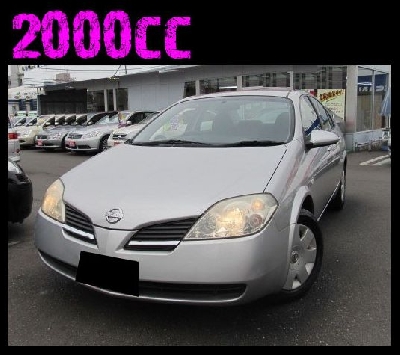
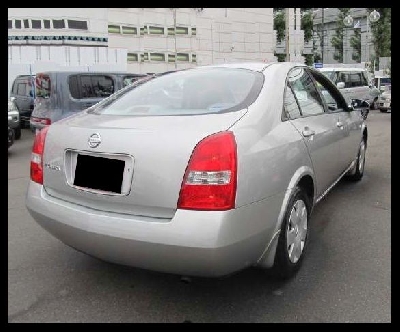
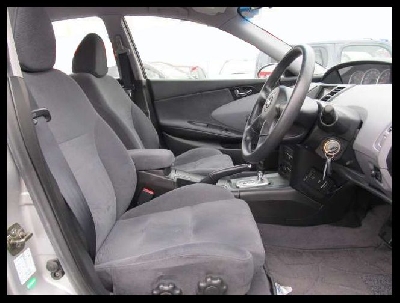
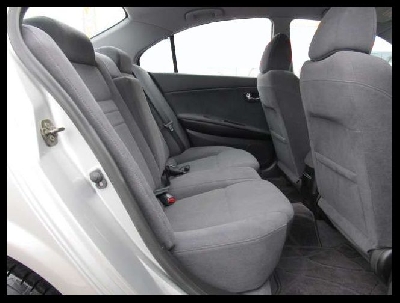
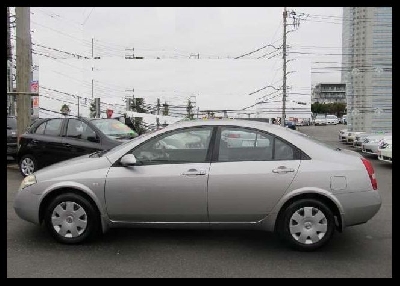
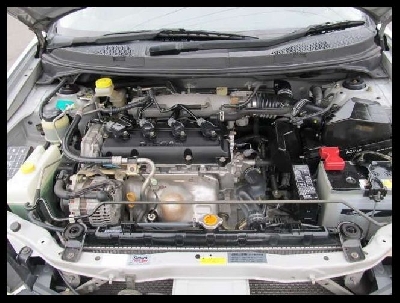
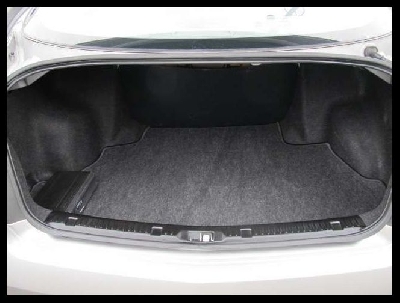
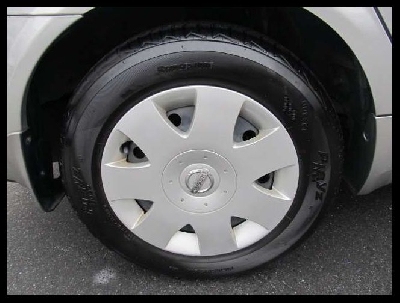
Car Offer for Today


ID : 030979
FOB :$2,448 


030979_0030979_1030979_2030979_3030979_4030979_5030979_6030979_7                                              


Visit also our homepage 

Aya Takagi

aya@mercy.jp.co
Sales Representative
Mobile: +81-50-5539-9816
Fax: + 81345789623
FB: ayatakagi88@yahoo.com 


Is It True

Others say 2012 is the final year of planet earth. What is your take on this?


But before anything else could happen, why not buy your dream car first? Message me!


Ryu
Sales Representative
Prosper group
Tel nos.:+81-5055328180
+81-5055399816
Fax:+81-345789623

Email Etiquette

Email Etiquette.. what is it?

It involves knowing how to communicate properly and professionally via email. This is especially important for business communications, but the home user can benefit from these suggestions as well.

Even if you are newbie email user, following these suggestions will go a long way towards giving an impression that you’re an internet pro.


Suggestions for Proper Email Etiquette:

1.) Don’t type your emails using all capital letters. Using all caps is the same as YELLING in email land.
2.) Know your attachment sizes: This is an especially important email etiquette tip!

Check the size of your attachments before you send them. If they are over 200K in size, compress or zip the file, or resize it, if the file is a picture.

This is usually a problem with digital camera pictures. Right out of the camera, most digital pictures are very large, usually over 1Mb.

Use an editing program like Paint or Paint Shop Pro to cut them down to below 200K, or here’s an easier way: install Microsoft’s Image Resizer Power Toy.

Sending an email that is over 600K in size makes the process harder for the person receiving it. They have to wait for all that data to download.

If you send a file that big to person who only has dial-up (modem) based internet service, it will really clog up their email, and they will want to hurt you.

Better yet, if you want to share digital pictures, upload them to a photo sharing website. Google offers free Picasa software, and a huge amount of server space for you to do just this, and it comes with an (also) free Google mail account.

3.) Read your email, and check it for grammar, spelling and punctuation before you send it. Just because you are sending email doesn’t mean you can forget all about proper writing techniques. It’s just as difficult to read bad writing on a screen as it is in a book. Practice good writing along with good email etiquette.

4.) Don’t forward chain letters. I know some of them say you’ll have 7 years of bad luck if you don’t send them on. Ignore this. Just delete it. It will help out so many people, and you'll be practicing really good email etiquette. :)

5.) Leave the message thread on your reply. I personally find it annoying to get a reply back from someone without the message thread. Your message arrives and just says Yes. Yes? Yes to what? I send out lots of emails. How am I supposed to remember what we were talking about 6 days ago?

6.) If you are writing a long email, here’s some advice that will save your sanity. Write long emails in some other word editor like MS Word, or Works, or even a plain old text message window. Then when you are done, and it looks good, cut and paste it into an email message window.


7.) Keep your email format simple. No loud background, no funny colors, etc.. These additions makes it very difficult to read your email message; practice good email etiquette, and just leave the background white, please.

8.) Don’t leave the subject line blank. This will cause the receiving ISP to target your email as spam, and your email may get deleted.

Also, avoid using all caps, or short, general terms such as Hi, Help or Please Respond in the subject for the same reason.

9.) If you are sending an email to a group of people who don’t know each other, put all of the email addresses in the “BCC” line of your message window, not the “To” line. BCC stands for Blind Carbon Copy, and it will keep each person from seeing all the other recipient addresses.

NOT doing this opens up all the addresses in the email to someone who could grab and sell them to an spammer. VERY annoying and very bad email etiquette in internet land.

10.) Never give out your phone number or other personal information without confirming you are communicating with a reputable party. Legitimate businesses will NEVER ask you for your credit card and bank account information via email. And never give out the personal contact information of others without their specific permission. Paying attention will you avoid the horrors of identity theft.

11.) Don’t click on any email attachment, especially those with an .exe or .vbs or .com suffix (i.e, christmas.exe) without making sure that attachment has been checked for viruses. It could infect your PC, and you don't want the headaches that would cause you. Most reputable ISPs have virus checking turned on automatically.

This holds true even if the email appears to come from someone you know. If the attachment is virus generated, it's capable of picking up your friend's email address off of another infected computer.

12.) Set a rule for yourself about forwarding emails to your friends and family. If the subject isn’t interesting enough to print out, put in an envelope, and mail via the Post office, it probably isn’t interesting enough to send via email.

If you do decide to forward an email that has already been forwarded several times, here's a nice thing to do:

Click Forward on the email. On the new message window that opens, remove all the forwarding email address information from the beginning of the message, so that only the joke or actual message is left to send. The next person you forward it to will thank you because they won't have to scroll through all of that extra info to get to the actual message.

Today's Featured Car
031555_0031555_1031555_2031555_3
031555_4031555_5031555_6031555_7

Jun Nakayama
Telephone Skype :            +81-50-5539-9816                                          
FAX                  : +81-34-578-9623
Homepage        :http://www.prosperjp.com
Blog                 : http: //karibuprosper.blogspot.com


January 14, 2012


Huawei Ascend P1 S


Ascend P1 S's most surprising attribute is its thickness -- a mere 6.68mm (0.26-inches), which would let it glide past the 7.1mm Droid RAZR with barely a slice in the air. The screen is 4.3-inches along the diagonal, qHD 540 x 960, and -- to HTC's shame -- it claims to be Super AMOLED. There's a dual-core TI OMAP 4460 inside, clocked at 1.5GHz and accompanied by a SGX 540 GPU, which should be plenty sufficient to record 1080p video on the eight megapixel backside-illuminated camera.

FEATURE CAR:

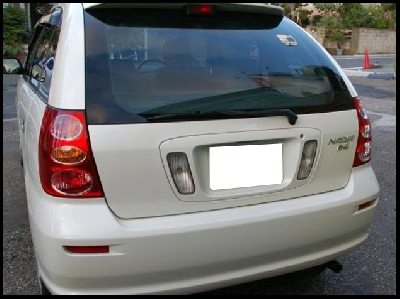
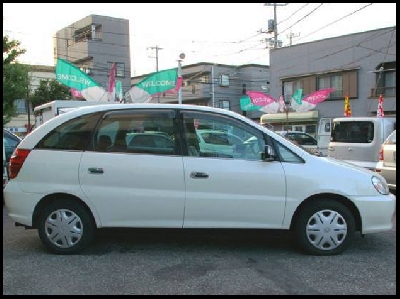
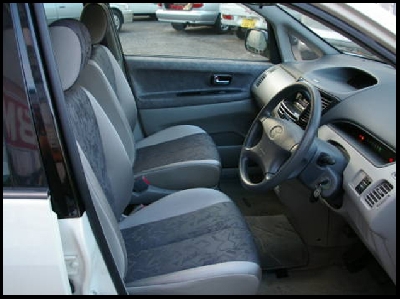
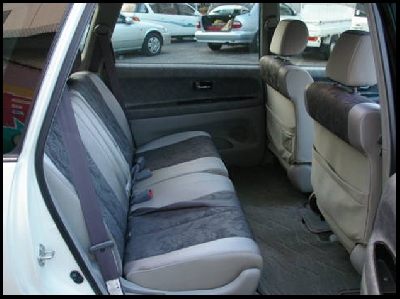
2000  TOYOTA / ALTEZZA


MIKI KAWAI
miki@prosperjp.com 

Find ing Japanese Used Cars? The Trade rs of Car to View and Auto Rec ooling vehicles?
We are just here, Being straight Forward to serve you. 24 Hours Every day.


Kungfu Cats


Flying Attack Technique
(^_^)


Ms. Hiro

Email: hiro@mercy.co.jp

Our Facebook: http://www.facebook.com/pages/Cheki-Japanese-Used-Cars-Karibu/260836613943494?ref=pb

Our Home page: www.prosperjp.com


Find ing Japanese Used Cars? The Trade rs of Car to View and Auto Rec ooling vehicles?
We are just here, Being straight Forward to serve you. 24 Hours Every day.


Japanese Company Invents Water Fueled Car

This is a saving energy and good for the environment!


FEATURED CAR FOR TODAY:


Please don’t hesitate to contact me back for your inquiry and further assistance.
Please do take my contact below for your reference.

Thank you so much.


Ms. Ai Tamaki
Sales Department Representative
Direct Email: ai@prosperjp.com 
FACEBOOK ACCOUNT: aitamaki@yahoo.com
Office Tel. No: +81-50-5539-9816 | Fax: + 81345789623

FACEBOOK FAN PAGE: PROSPER CO., LTD Japan
..............................................................................................................................................................................................................

Find ing Japanese Used Cars? 
The Trade rs of Car to View and 
Auto Rec ooling vehicles?
We are just here, Being straight Forward to serve you. 24 Hours Every day. 


“I am very proud to be called a pig. It stands for pride, integrity and guts.”


The world is not growing worse and it is not growing better -- it is just turning around as usual. 


GET A FAST NEW CAR QUOTE  n  o  w  .....


Shu Kawahara


XO-3 Concept Tablet for 2012


XO-3 Concept Tablet for 2012 | Gadget Inspector | Hi Tech Gadgets

XO-3 Concept Tablet for 2012"
XO-3 concept tablet for 2012 

Designer Yves Behar has revealed his latest concept design for the now-aiming-for-$75 vision, and it’s all screen. Keeping with the newfound trend toward tablets, the XO-3 is an 8.5 x 11 touchscreen, coupled with a little folding ring in the corner for grip and a camera in the back.
XO-3 concept tablet for 2012
To keep things minimal the plan is to use Palm Pre-style induction charging, and less than a watt of power to keep an “8 gigaherz [sic]” (800MHz?) processor and a Pixel Qi screen powered. At half the thickness of an iPhone, this vision is obviously banking heavily on presumed technology advances by 2012 (the projected release date), but it’s not too hard to see somebody making this form factor happen by then-ish.
XO-3 concept tablet for 2012
Nick Neg isn’t all hubris, however: “Sure, if I were a commercial entity coming to you for investment, and I’d made the projections I had in the past, you wouldn’t invest again, but we’re not a commercial operation. If we only achieve half of what we’re setting out to do, it could have very big consequences.”
source: [engadget.com]
XO-3 concept tablet for 2012

Car Offer for Today
FOB :$1,974
031190_1031190_2031190_3031190_4031190_5031190_6031190_7
You can also visit also our homepage 
www.prosperjp.com 

Aya Takagi
aya@mercy.co.jp
Sales Representative
Mobile: +81-50-5539-9816
Fax: + 81345789623
FB: ayatakagi88@yahoo.com  


Amazing Bikes!!!!

Look at it... closer.....

Its real Motor BIKE

I guess not!

Just look at bellow
 this is really really real.

For the CIF price  
Just get back to me

TOSHI
+81-50-5539-9816
toshi@prosperjp.com

Find ing Japanese Used Cars? The Trade rs of Car to View and Auto Rec ooling vehicles?
We are just here, Being straight Forward to serve you. 24 Hours Every day.

Experience the Sony Xperia


SONY XPERIA S COMING TO O2, ORANGE, 3, T-MOBILE, PHONES 4U


The major networks are lining up to sell the Sony Xperia S. O2, Orange, Three and T-Mobile, as well as retailer Phones 4U, will sell the saucy Sony smart phone.
Only Virgin and Vodafone are yet to confirm they'll be selling the S. Price and release dates have yet to be confirmed by the networks that have signed on, but Phones 4U expects to see the S on shelves in March.


At launch the S will be powered by Android Gingerbread, but will upgrade to the latest version of Android -- Ice Cream Sandwich -- in the second half of the year, which is a bit of a letdown.
The S sports an impressive 4.3-inch, 720x1,280-pixel high-definition touchscreen. Inside is a 1.5GHz dual-core Qualcomm processor and 32GB of storage. On the outside is a quirky touch-sensitive transparent strip at the bottom, allowing you to see through the phone.
As well as watching high-definition video, you can shoot your own HD movies with the 12-megapixel Sony Exmor R camera, which captures 1080p HD moving pictures. Even the second camera for video calling films 720p HD video.


The Xperia S and its US buddy the Xperia Ion are the first new phones to drop the Ericsson name from Sony Ericsson, after the Japanese giant Sony spent nearly £1bn buying out its Swedish partner. Sony has decided to only make smart phones from here on out, and with phones like the Xperia S will go on the offensive against johnny-come-lately phone-flingers like Apple, HTC and Samsung.
FEATURE CAR:


MIKI KAWAI
miki@prosperjp.com

Find ing Japanese Used Cars? The Trade rs of Car to View and Auto Rec ooling vehicles?
We are just here, Being straight Forward to serve you. 24 Hours Every day.

Regaining computer hard disk drive space

Run the Disk Cleanup option

1. Open My Computer.
2. Right-click on the hard disk drive that you wish to regain hard disk drive space. For example, right-click on the C: drive.
3. Click Properties.
4. Within the General tab, click the "Disk Cleanup" button located next to the pie chart.
5. Windows will scan the computer for all files available to clean up.
6. Once in the Disk Cleanup window check each of the boxes (except "compress old files") that are taking disk space and click Ok and then Yes if you wish to proceed.

Compress?

When performing a Disk Cleanup you'll have an option to compress your hard drive. We strongly recommend users do not compress their hard disk drive or compress their old files.

Uninstall old programs or games no longer used

1. Click Start
2. Click Control Panel or Settings and then Control Panel
3. Double-click Add/Remove Programs or Uninstall a program.
4. Within the new window select the program you wish to uninstall and click the Remove button or        
    Uninstall/Change button.

Disable System Restore

Windows XP, Vista, and 7 users can also decrease the default space utilized by Windows System Restore and often gain several additional gigabytes of hard disk drive space. See the below steps in customizing this feature.

1. Click Start, Programs, Accessories, System Tools, and open System Restore.
2. Within the System Restore window, click System Restore Settings.
3. Within the System Restore tab you can either check the Turn off System Restore on all drives to completely disable this feature, or click the Settings button and decrease the space usage, which is what we would recommend.

Additional suggestion for Windows XP users:

Window 2000 and Windows XP keeps all the necessary files needed to uninstall any of the updates ever installed on your computer. Often this is several dozen updates that can take up several hundred and sometimes over 1 gig of space on your hard disk drive.

Today's Featured Car
031540_0031540_1031540_2031540_3
031540_4031540_5031540_6031540_7

Jun Nakayama
Telephone Skype :+81-50-5539-9816 begin_of_the_skype_highlighting            +81-50-5539-9816      end_of_the_skype_highlighting                                    
FAX                  : +81-34-578-9623
Homepage        :http://www.prosperjp.com
Blog                 : http: //karibuprosper.blogspot.com